
The Payments page lets you manage the payment methods associated with your ShipTime account, choose your default payment option, and manage ShipCash.
Use the numbered sections in the screenshot below to learn what each area does.
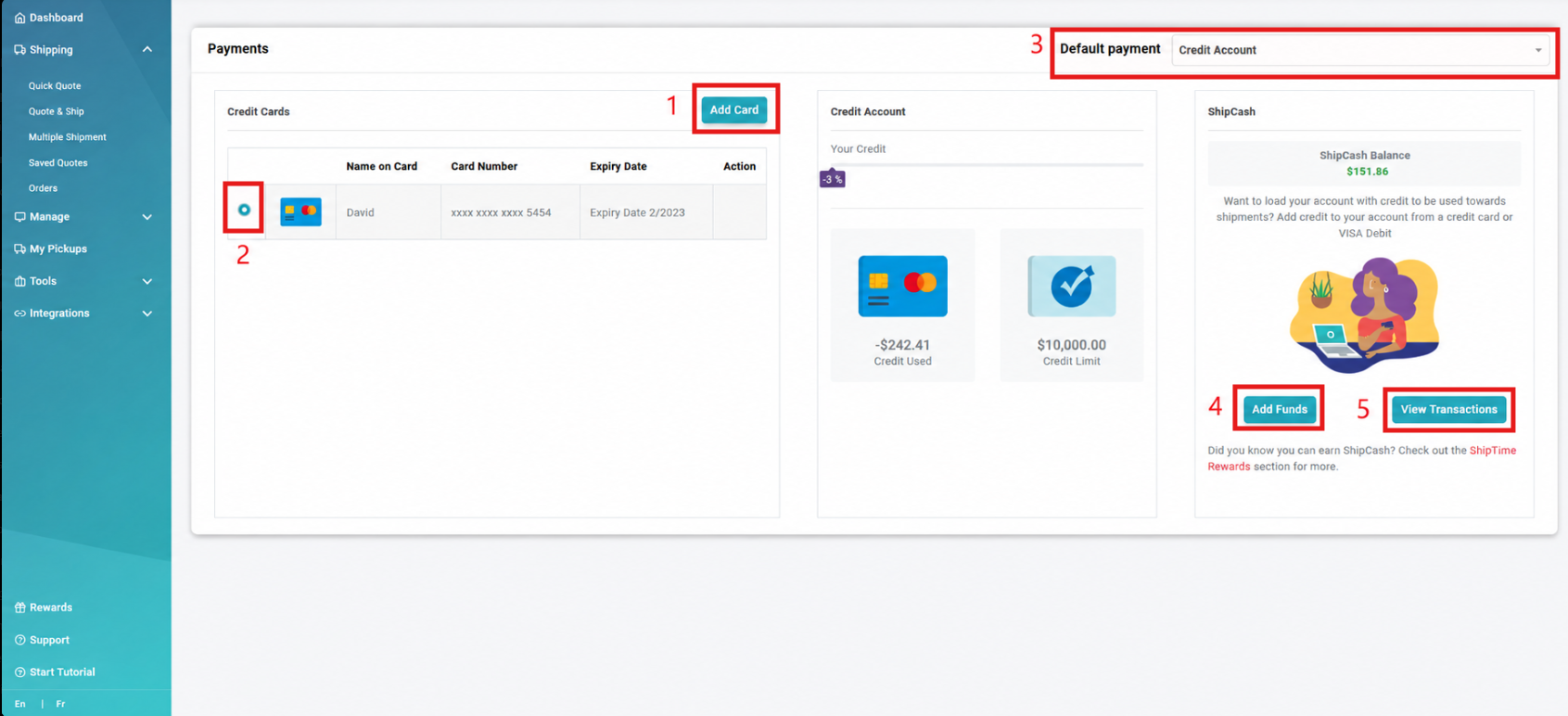
- Add a Payment Card
Add a new payment card to your ShipTime account. - Set a Default Card
If you have more than one payment card saved, select which card should be used as your default. - Set Your Default Payment Type
Choose the default payment method available for your account, such as:- Credit Card
- Credit Account, if your account is approved for credit
- Add ShipCash
Add funds to your ShipCash balance for use on eligible ShipTime transactions. - View ShipCash Transactions
Review your ShipCash transaction history, including funds added and ShipCash used on your account.
Need Help?
If you have questions about payment methods, your default payment option, or ShipCash, contact our Heroic Support™ team.