
ShipTime’s Product Library lets you save commonly used product information so you can quickly reuse it when creating international shipments.
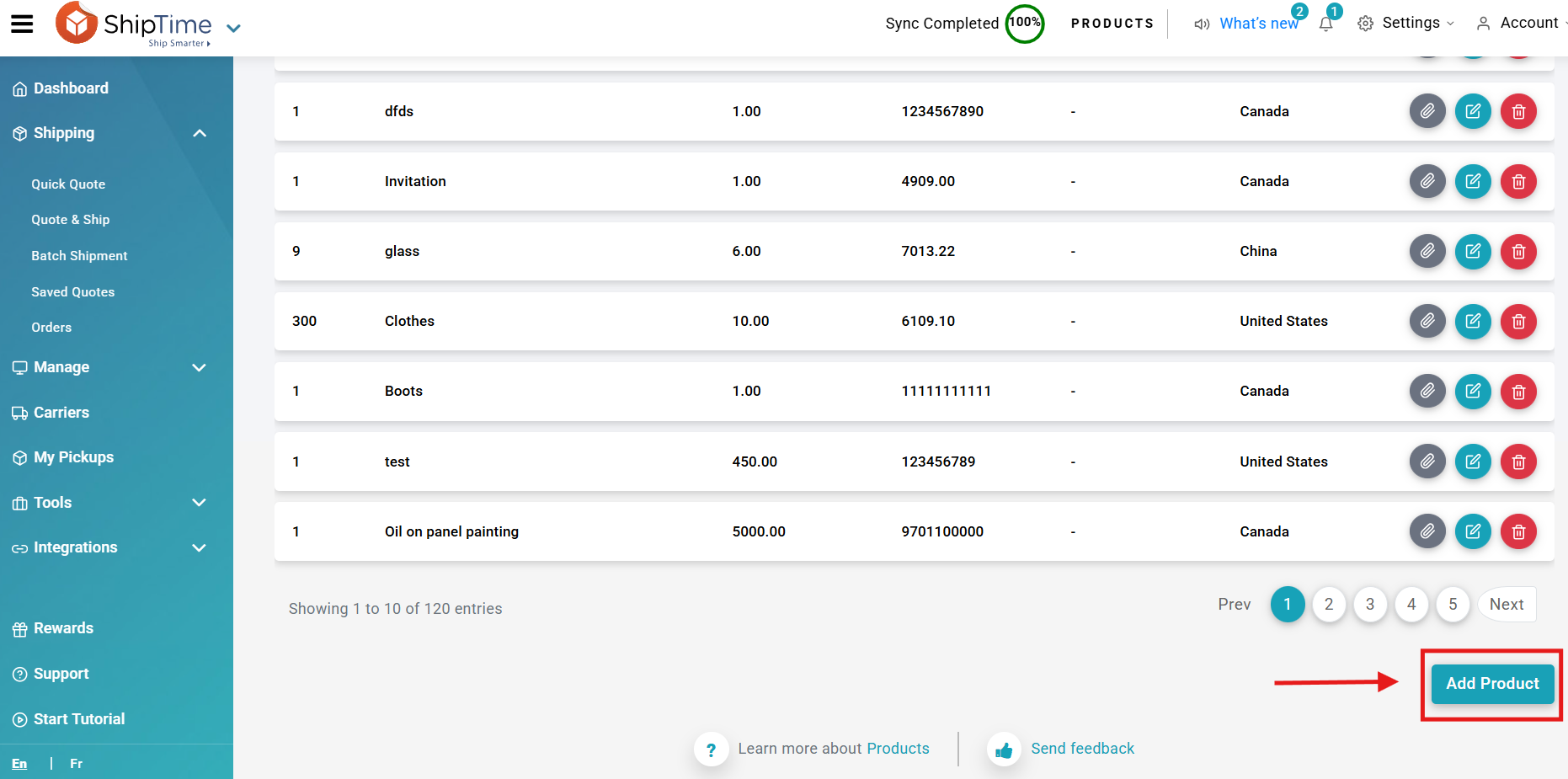
Stored product details can include information such as:
- product description
- HS code
- country of origin
- quantity
- price
Using the Product Library can help reduce repeated data entry and keep product information more consistent across shipments.
How do I access the Product Library?
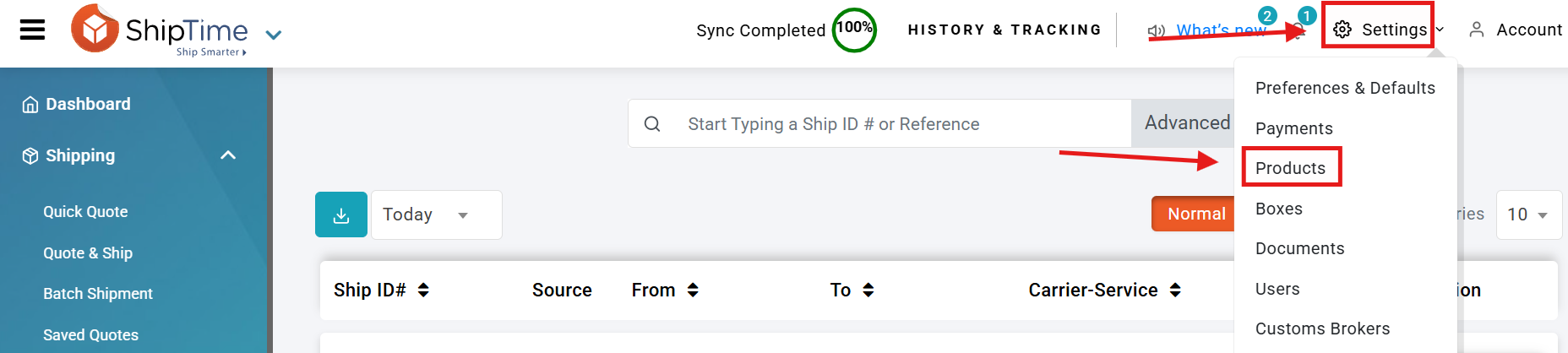
- Log in to your ShipTime account.
- Open Settings.
- Select Products.
- Click Add Product to create a new product entry.
How do I use a saved product when creating a shipment?
When creating an international shipment:
- Continue to the International Details step.
- Under Products Shipped, select the option to add products from your Product Library.
- Choose the applicable saved products.
- Review the imported product details before continuing.

Why use the Product Library?
The Product Library can help you:
- save time when creating repeat international shipments
- maintain more consistent product descriptions and customs information
- reduce manual data entry
- quickly access products you ship regularly
Should I review saved product information?
Yes. Product information can change over time, so review your saved entries periodically and update them when needed.
Before completing an international shipment, always confirm that the product description, HS code, country of origin, value, quantity, and any other customs information are accurate for that specific shipment.
Can ShipTime help with a large Product Library?
If you have a large number of products to add, ShipTime’s technical support team may be able to assist with a bulk upload.
Contact our Heroic Support™ team for guidance on the current bulk-upload process and any required product template.
Not using ShipTime yet? Create your free ShipTime account to access discounted rates from leading couriers, all in one platform.