
Yes. ShipTime offers a developer API that allows you to integrate ShipTime’s shipping functionality directly into your own application or platform.
ShipTime provides both a Sandbox environment for development and testing and a Production API for live shipping activity.
ShipTime API environments
Sandbox API
The Sandbox environment is designed for development and testing before you move your integration into Production.
- REST API using Basic Authentication
- Endpoints begin with
/rest - Sandbox documentation: ShipTime API Sandbox
To request Sandbox credentials, contact techsupport@shiptime.com.
Important: Rates and services returned in Sandbox are for development purposes only. They do not reflect the pricing or services that may be returned in Production.
Production API
The Production API uses OAuth authentication.
According to the current Freshdesk article, the Production API can be used to:
- Quote shipping rates
- Create shipments and shipping labels
- Schedule pickups
- Track packages
Production documentation: ShipTime API Production
Before you get started
ShipTime recommends working with a developer who is familiar with REST APIs and authentication.
When testing in Sandbox:
- Add “Test booking Not for Pick up” in the Special Instructions field.
- Select Drop-off instead of Pickup when testing rates only.
- If you add a pickup, choose a pickup date as far in the future as possible.
- Cancel all test shipments on the same day.
How to enable a Production API integration
- Log in to your ShipTime account.
- Go to Integrations > My Integration.
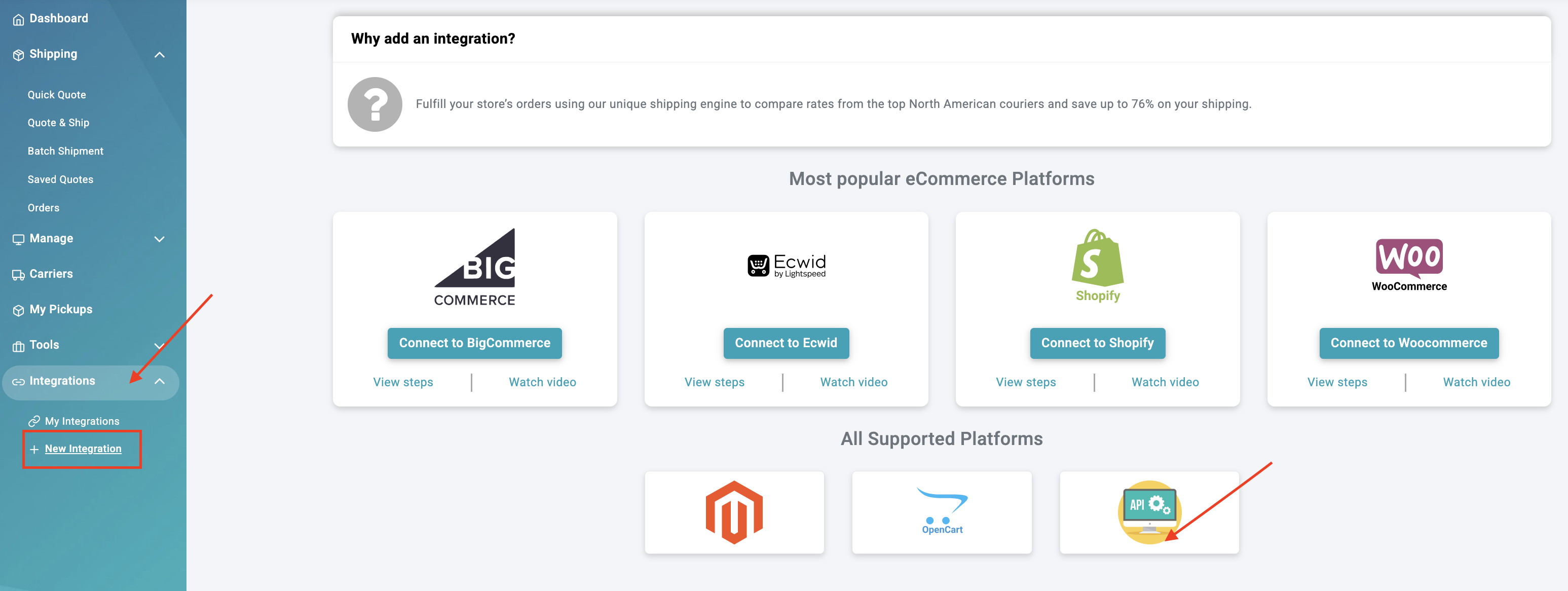
- Select API. Click the + button
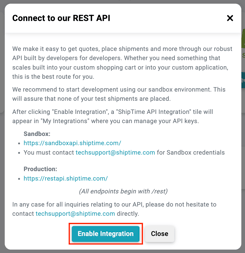
- Select Enable Integration.
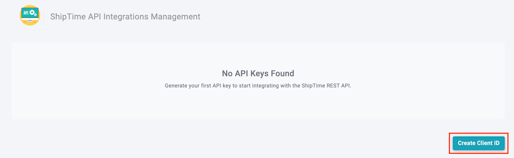
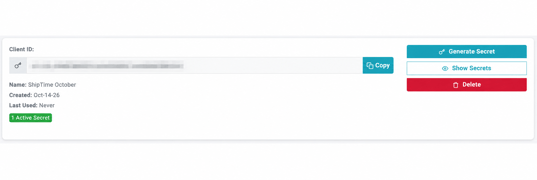
- On the API Integrations Management screen, click Create Client ID.
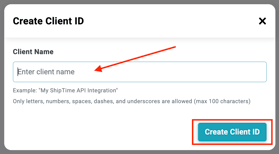
- Enter a name for your integration, then click Create Client ID again.
- Copy and securely store your Client ID and API Secret.
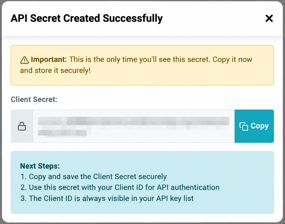
Important: The API Secret is displayed only once. Copy and store it securely before closing the window.
How Production authentication works
The Production API uses the OAuth 2.0 client credentials flow.
Request an access token from:
POST https://restapi.shiptime.com/oauth2/token
Include:
grant_type=client_credentialsclient_idclient_secret
Once you receive an access token, send it with your API requests as a Bearer token in the Authorization header.
The Freshdesk article states that access tokens are valid for one hour and that no refresh token is issued for the client credentials flow. When a token expires, request a new one.
Common authentication errors
The source article lists these possible responses:
- 401 –
invalid_client: The Client ID or API Secret is missing or incorrect. - 400 –
unsupported_grant_type: Thegrant_typeis notclient_credentials. - 400 –
invalid_request: A required parameter is missing or empty.
If you receive an invalid_client error, verify your credentials and request a new token before retrying.
Production testing best practices
Avoid creating test shipments in Production whenever possible. Production activity may result in real courier charges.
If testing in Production is necessary:
- Select Drop-off instead of Pickup when testing rates only.
- Review courier rates and surcharges before creating a shipment.
- Be aware that some courier actions may trigger charges once a pickup or delivery has been dispatched.
Need technical help?
For questions about credentials, authentication, or your API integration, contact the ShipTime Tech Support team at techsupport@shiptime.com.
Not using ShipTime yet? Create your free ShipTime account to access discounted rates from leading couriers, all in one platform.