
You can connect your Shopify store to ShipTime to sync products and orders and, if supported by your Shopify plan, display live shipping rates at checkout.
Before you connect your Shopify store
If you want to use Real-Time Rates at Checkout, confirm that your Shopify plan supports third-party carrier-calculated shipping before enabling this option in ShipTime.
Important: Shopify plan requirements and feature availability can change. Confirm your current Shopify plan supports third-party calculated shipping before publishing or relying on the plan details from the original Freshdesk article.
Connect Shopify to ShipTime
- Log in to your ShipTime account.
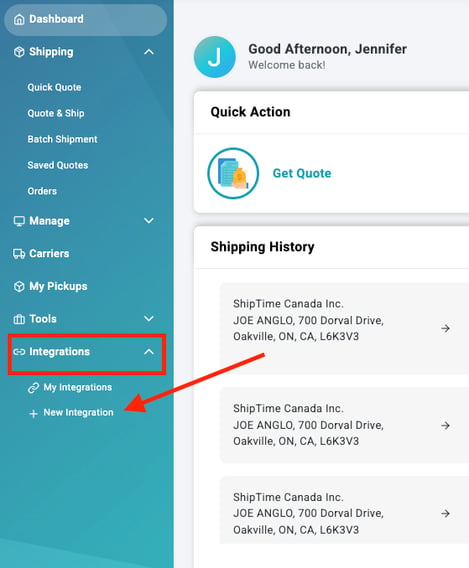
- Go to Integrations > New Integration, or open the New Integration page.
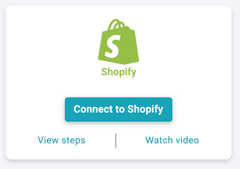
- Select Connect to Shopify.
- You will be redirected to Shopify. Select Install.
(you may need to first Log in to Shopify if prompted)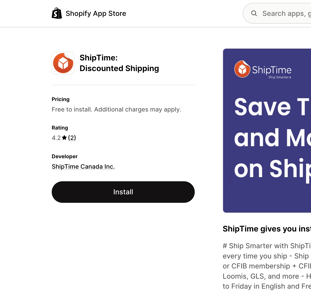
- When the ShipTime installation screen appears, select Install App.
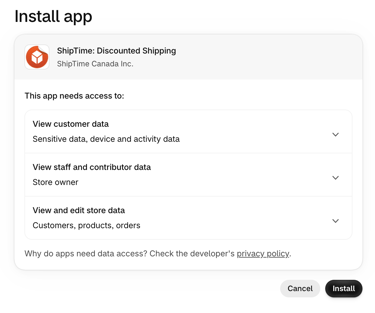
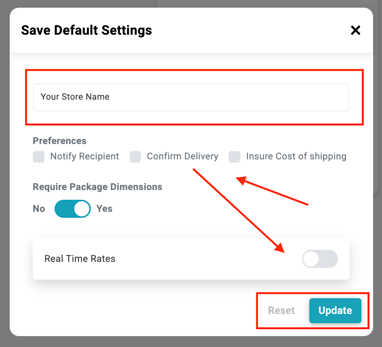
- You will be redirected back to ShipTime. Enter your:
-
- Store Name
- Customer notification preferences
Configure your Shopify integration
Before connecting your store, review the available settings.
Real-Time Rates
Turn on Real-Time Rates if you want to display live ShipTime shipping rates to customers in Shopify checkout. This option requires Shopify to support third-party carrier-calculated shipping for your store.
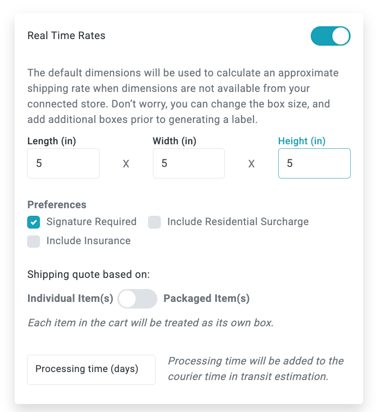
Default package dimensions
Enter the default:
- Length
- Width
- Height
These dimensions are used when product dimensions are missing.
Shipment preferences
Select any options you want to apply, including:
- Signature Required
- Include Residential Surcharge
- Include Insurance
Quoting method
Choose whether ShipTime should calculate rates using:
- Individual item dimensions, or
- Packaged items using boxes saved in your Box Library
When packaged-item quoting is selected, ShipTime determines which saved box can accommodate the items in the customer’s cart and generates rates based on that box.
Processing Time (days)
Enter an amount if you want to display updated carrier transit days estimate at checkout to allow for shipment preparation.
Handling fees
Enable Handling Fees if you want to include an additional handling amount in your checkout rates.
Finish connecting your store
Once your settings are complete, select Connect.
Your Shopify store will then be connected to ShipTime, and your products and orders will begin syncing.
Need help?
If you need help with this integration or encounter a technical issue, contact our Technical Support team at techsupport@shiptime.com
Not using ShipTime yet? Create your free ShipTime account to access discounted rates from leading couriers, all in one platform.