
The History & Tracking page lets you search for shipments, review tracking information, manage eligible shipments, and access shipment receipts.
Use the numbered sections in the screenshots below to learn what each option does.
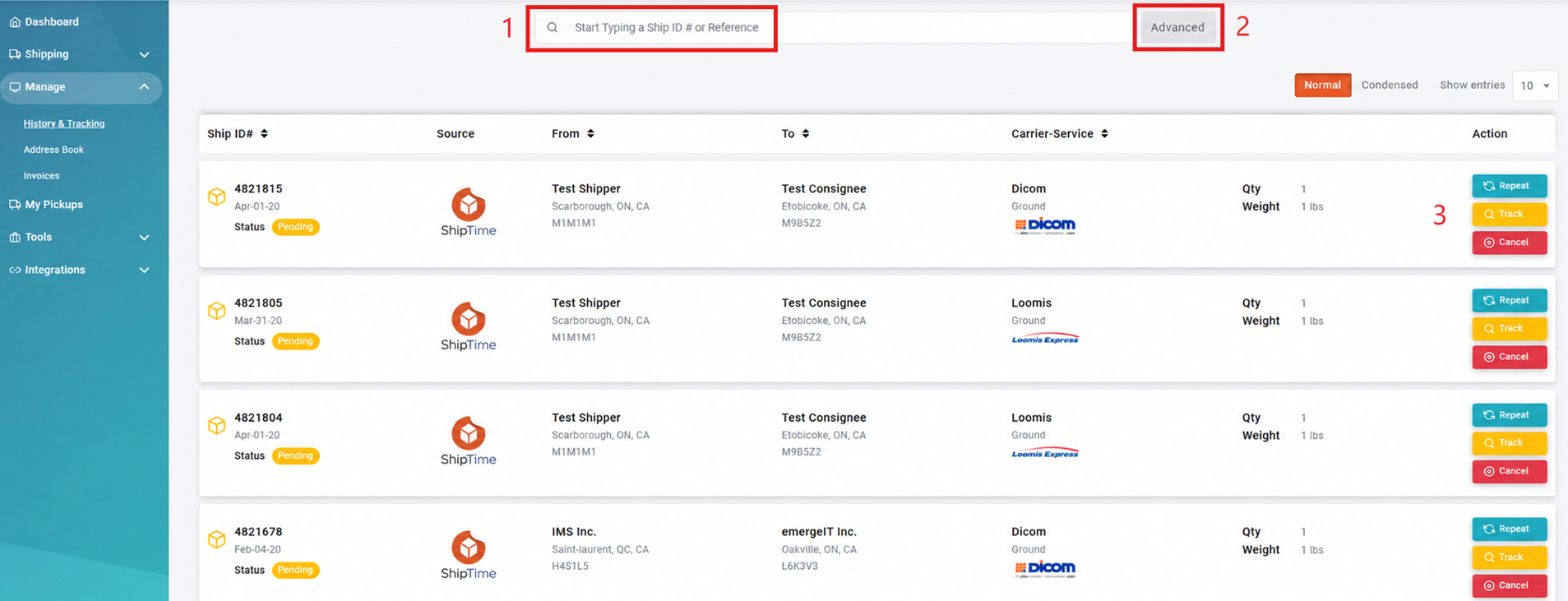
- Search Bar
Search for a shipment using its tracking number or ShipID. - Advanced Search
Use the advanced search options to narrow your shipment history and locate specific shipments. - Shipment Action Buttons
Depending on the shipment and its current status, available actions may include:- Repeat: Creates a new shipment using the same origin and destination addresses and shipment details.
- Track: Opens the shipment’s tracking information.
- Cancel: Cancels an eligible pending shipment. The self-service cancellation option is available on the same day the shipment is created. If you need to cancel a shipment after its creation date, contact Heroic Support™ for assistance.
For complete cancellation requirements and deadlines, see How to Cancel a Shipment in ShipTime.
Viewing Shipment Details
Select any shipment from the list to open its detailed shipment information.
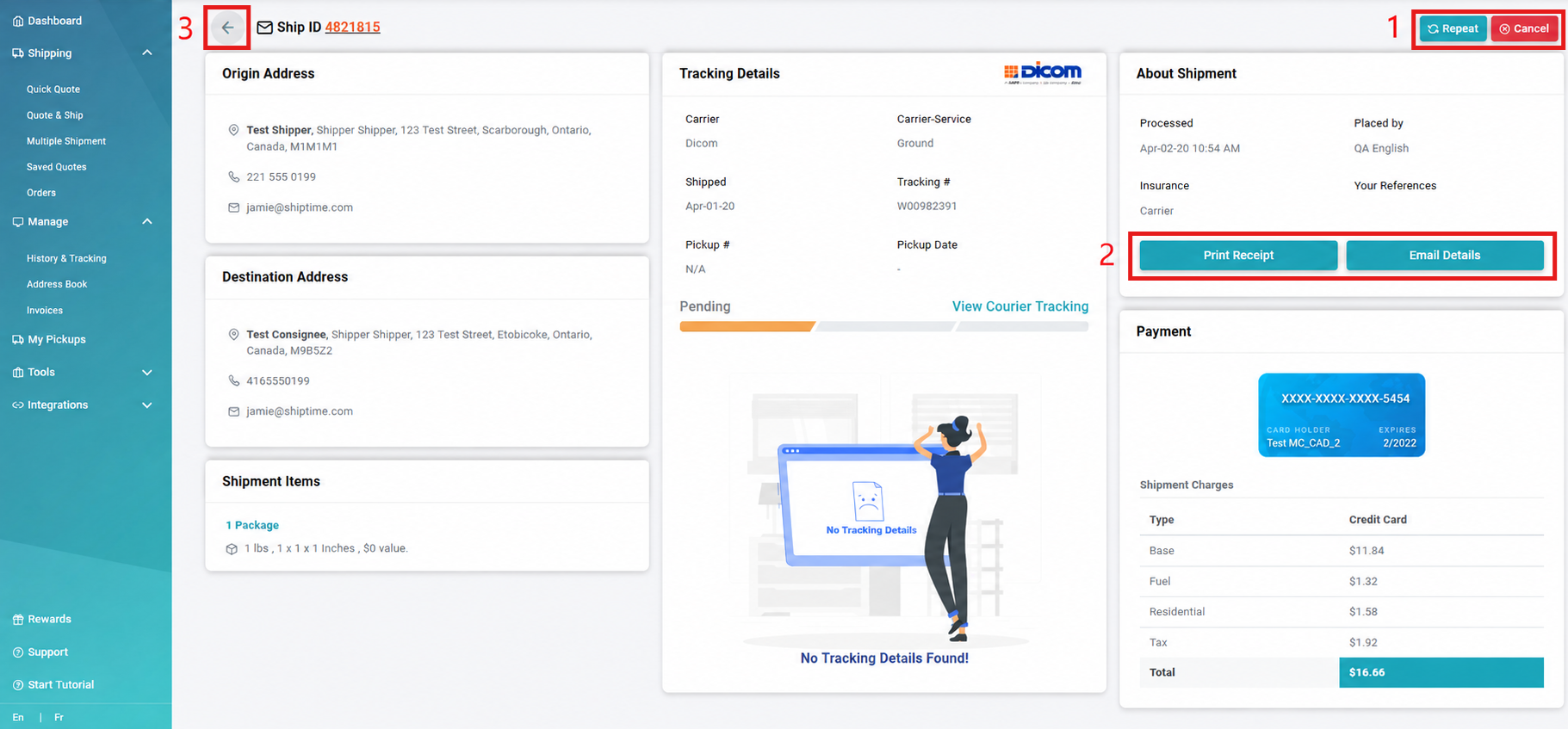
- Shipment Options
Depending on the shipment status, available options may include:- Repeat: Creates a new shipment using the same address and shipment details. You can then continue through the shipment creation process.
- Cancel: Cancels the shipment when it is still eligible for self-service cancellation.
- Receipt Options
Access the shipment receipt using the available options, including:- Print Receipt
- email the receipt details
- Return to History & Tracking
Return to the full History & Tracking shipment list.
Need Help?
If you have questions about finding a shipment, reviewing tracking information, or using the available shipment actions, contact our Heroic Support™ team.