
ShipTime can calculate estimated duties, taxes, and applicable customs fees upfront for supported international shipments, helping you understand more of the potential landed cost before completing your shipment.
For supported couriers and services, these amounts appear on the International Details page during the shipping process.
What are duties and taxes?
Duties are customs charges that may apply to imported goods. They are commonly determined using information such as:
- the product’s HS Code
- declared value
- country of origin
- destination country
- applicable tariff or trade agreement
Taxes are government-imposed charges that may apply when goods enter the destination country.
Examples can include:
- VAT (Value-Added Tax)
- GST (Goods and Services Tax)
- applicable sales taxes
The exact amount depends on the shipment details and the destination country’s customs requirements.
How do I calculate duties and taxes in ShipTime?
When creating an international shipment:
- In Quote & Ship, continue to the International Details page.
- Select who will be responsible for paying the duties and taxes.
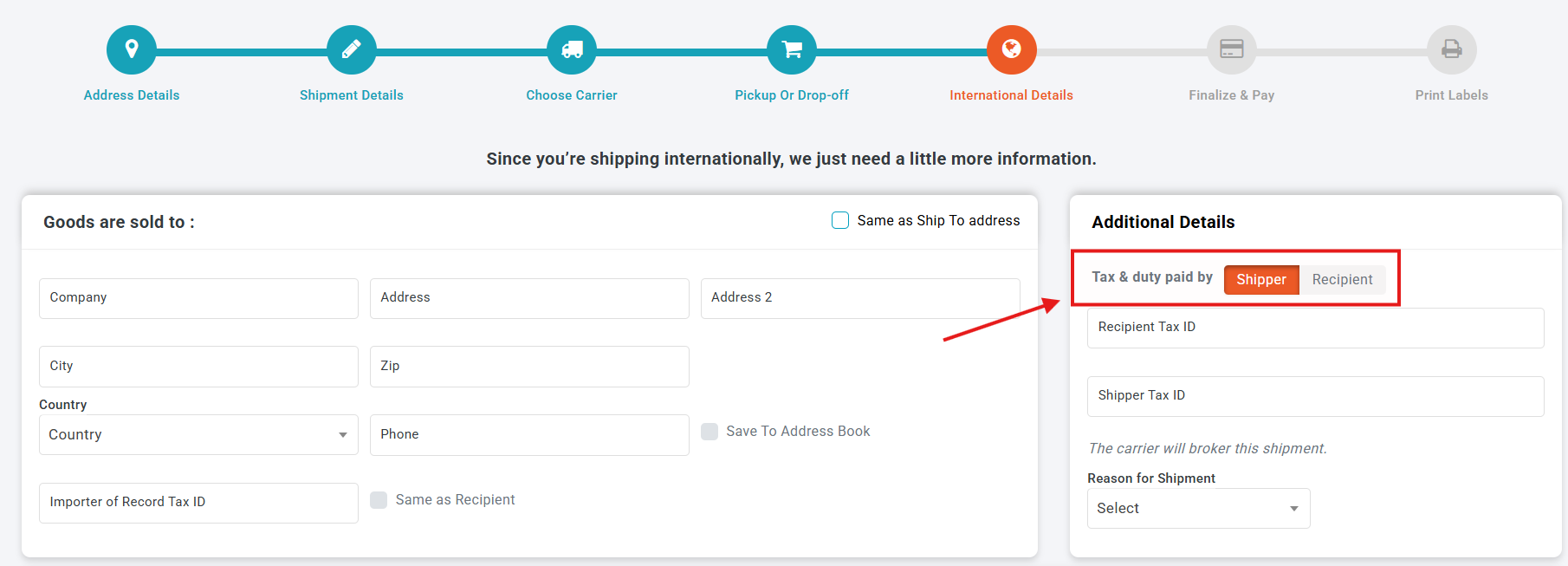
What is the difference between Shipper Pays and Recipient Pays?
Shipper Pays
Select this option when you want the shipper to pay the applicable duties, taxes, and supported customs fees.
When upfront calculation is available, the applicable amount will be displayed during shipment creation and collected with the shipment payment.
Recipient Pays
Select this option when the recipient will be responsible for duties and taxes.
When an estimate is available, ShipTime may display it during shipment creation so you can communicate the expected amount to the recipient. The applicable charges are then collected according to the courier’s customs process.
Important: Available payment options can vary by courier and service. Some services may require the shipper to pay duties and taxes and may not support recipient-paid shipments.
How do I enter my product information?
In the Products Shipped section, enter the required customs information for each product in your shipment.
This can include:
- product description
- quantity
- value
- country of origin
- HS Code
- other required customs information
Repeat this process for each different product included in the shipment.
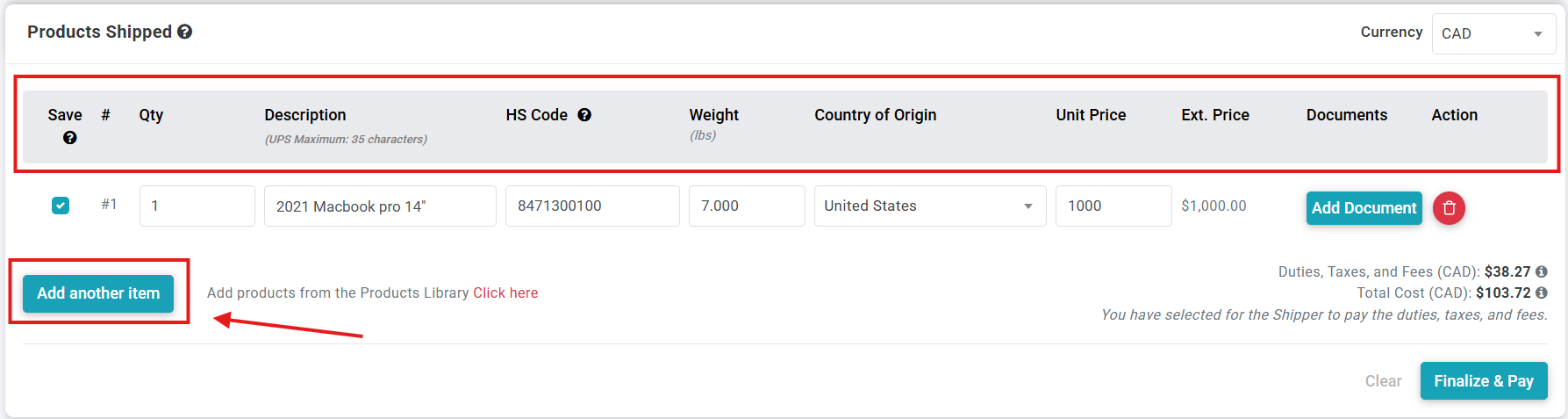
Accurate product information is important because it can affect the duties, taxes, and customs requirements calculated for the shipment.
Can I attach customs documents?
Yes. Where additional documentation is required, you can attach applicable customs documents to the relevant product line.
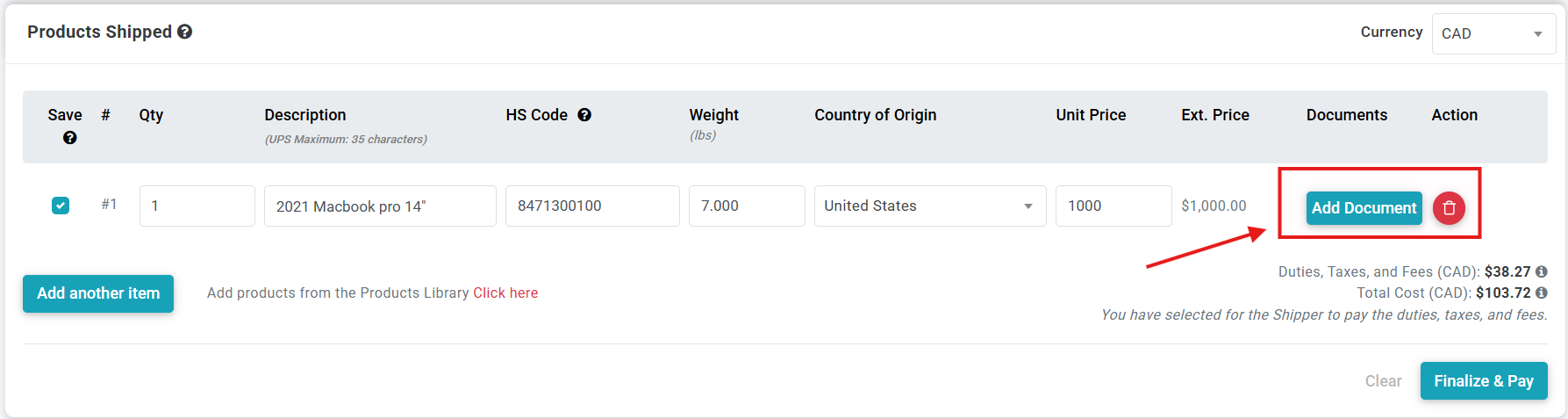
For qualifying goods, documentation supporting a trade agreement such as CUSMA/USMCA may affect the duties assessed on the shipment.
Where can I see the duties and taxes?
Once the required shipment and product information has been entered, ShipTime will display the available duties, taxes, and applicable fees near the bottom of the International Details page.
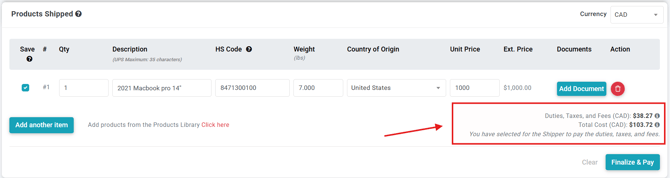
If Recipient Pays is selected, the amount displayed may be an estimate, with final charges assessed and collected through the courier’s customs process.
If Shipper Pays is selected and upfront payment is supported, the amount will be included in the shipment total.
How do I see a breakdown of the charges?
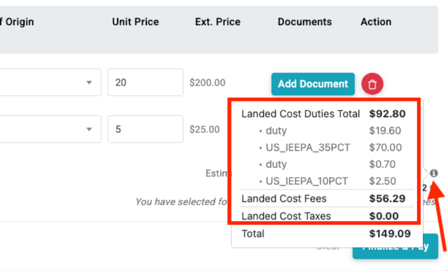
Select the information (i) icon beside the duties and taxes total to view the available breakdown of:
- duties
- taxes
- other applicable fees
When are prepaid duties and taxes collected?
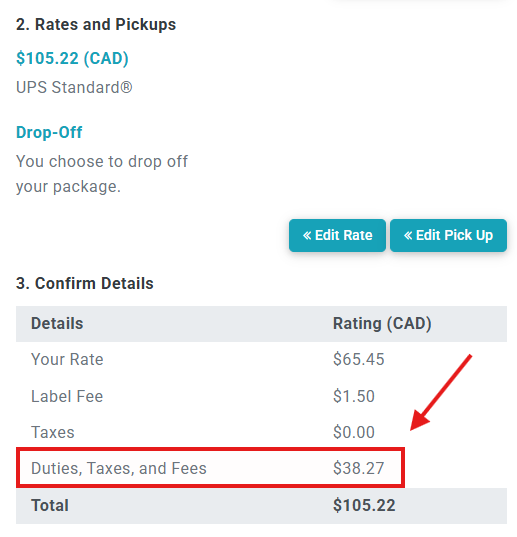
If Shipper Pays is selected and the courier supports upfront collection, continue to Finalize & Pay.
The applicable duties, taxes, and fees will be shown again and included in the total payment for the shipment.
What about brokerage and customs fees?
Depending on the courier and service, additional customs-related fees such as brokerage or processing charges may apply.
For supported shipments where the shipper is paying duties and taxes upfront, applicable customs fees may also be included in the amount shown during checkout.
This can provide greater visibility into the expected landed cost before the shipment is completed.
What if duties and taxes cannot be calculated upfront?
Not every courier or service supports upfront duties and taxes calculation.
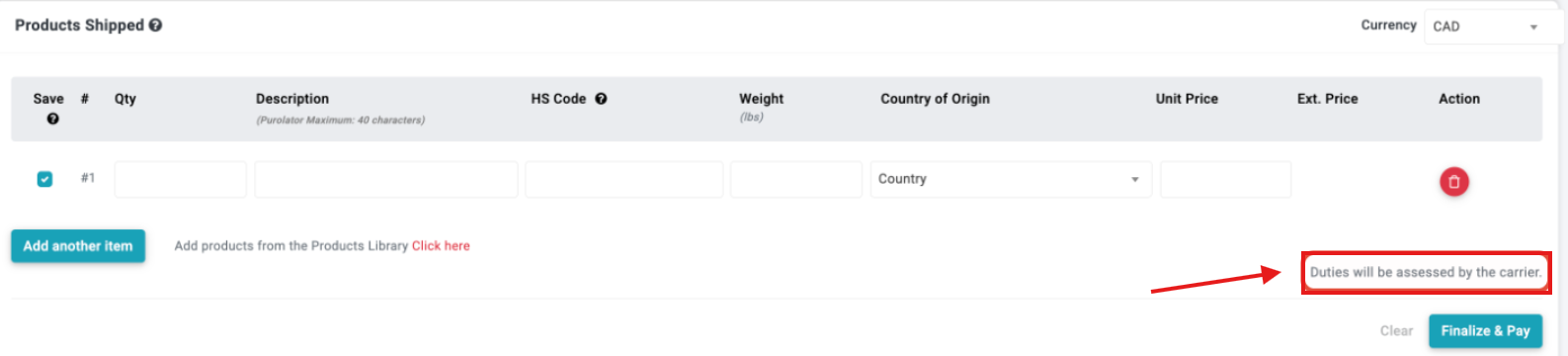
When pre-calculation is unavailable, ShipTime may display a message such as:
“Duties will be assessed by the carrier.”
In these cases:
- no upfront duties and taxes amount may be displayed
- customs charges will be assessed later by the courier or customs authority
- applicable charges may be collected from the shipper or recipient according to the service selected
- additional charges may appear after the shipment has travelled
Are upfront duties and taxes available with every courier?
No. Availability depends on the courier and specific service being used.
Some supported international services can provide duties and taxes calculations during shipment creation, while others do not support pre-calculation.
Because courier capabilities can change, always review the options and messages displayed in ShipTime for the specific shipment you are creating.
Are duties and taxes guaranteed?
Amounts displayed during shipment creation are based on the information available at that time.
Final customs charges can be affected by factors such as:
- customs classification
- declared value
- country of origin
- customs assessment
- applicable tariffs or trade agreements
- changes or corrections made by the courier or customs authority
Providing complete and accurate shipment information helps produce the most accurate estimate possible.
If you have questions about the duties and taxes displayed while creating an international shipment, contact our Heroic Support™ team and we can help review what is showing in ShipTime.
Not using ShipTime yet? Create your free ShipTime account to access discounted rates from leading couriers, all in one platform.