
What are Real-Time Rates?
Real-Time Rates allow your customers to see shipping costs directly at checkout based on the details of their order, including package size, weight, and destination.
Using Real-Time Rates can help:
- Improve accuracy: Reduce the risk of overcharging or undercharging customers for shipping.
- Increase transparency: Show customers the shipping cost before they complete their purchase.
- Simplify checkout: Provide shipping options and pricing directly within the checkout experience.
Real-Time Rates are currently available only for Shopify, WooCommerce, and Ecwid integrations.
You can enable real-time rates when you first connect one of these stores to ShipTime or later from the settings of an existing integration.
Before you enable real-time rates
For Shopify stores, your Shopify plan must support third-party carrier-calculated shipping in order to display ShipTime rates at checkout.
Because Shopify plan features can change, confirm that your current Shopify plan supports this functionality before enabling real-time rates.
Enable real-time rates for an existing integration
- Log in to your ShipTime account.
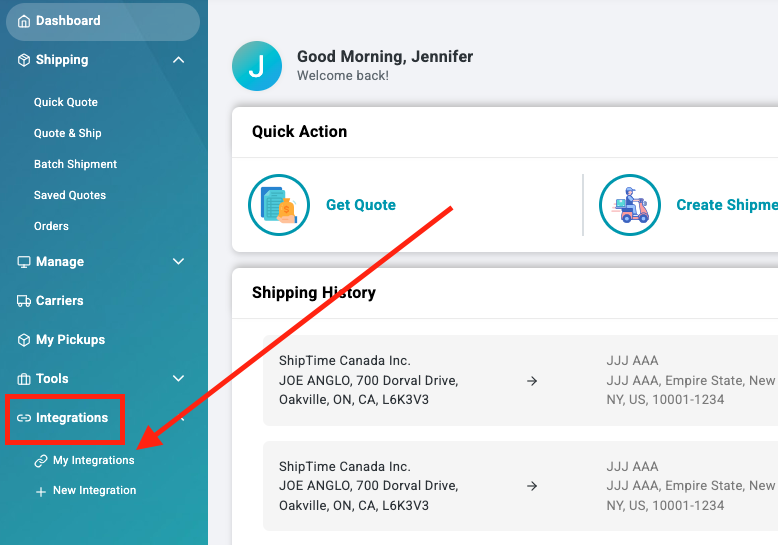
- Go to Integrations > My Integrations.
- Find the Shopify, WooCommerce, or Ecwid store you want to update and select Manage Store.
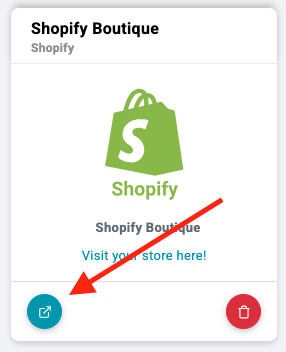
- Select Enable Rates.

Configure your rate settings
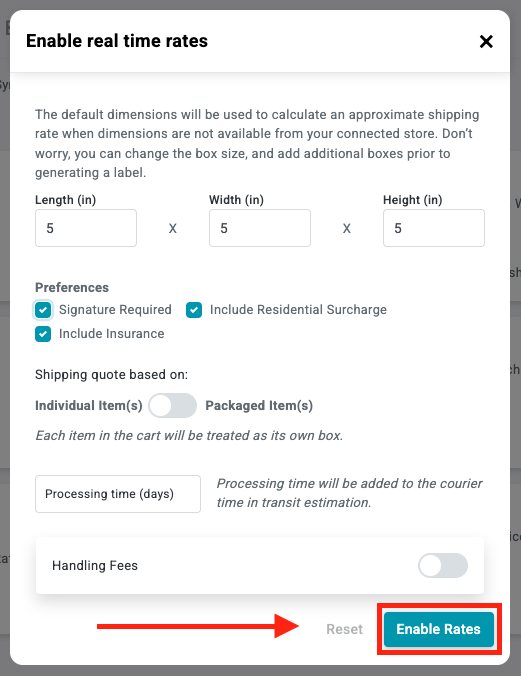
- Enter your default package dimensions.
These dimensions are used when product dimensions are unavailable. - Select any shipment preferences you want to apply:
- Signature Required
- Include Residential Surcharge
- Include Insurance
- Choose how ShipTime should calculate rates:
- Individual Items, or
- Packaged Items
If packaged-item quoting is used, ShipTime calculates rates based on how the cart items are packaged rather than rating each item individually.
- When your settings are complete, select Enable Rates.
Confirm that rates are active
Once the setup is complete, ShipTime should display a confirmation message indicating that rates were successfully added.
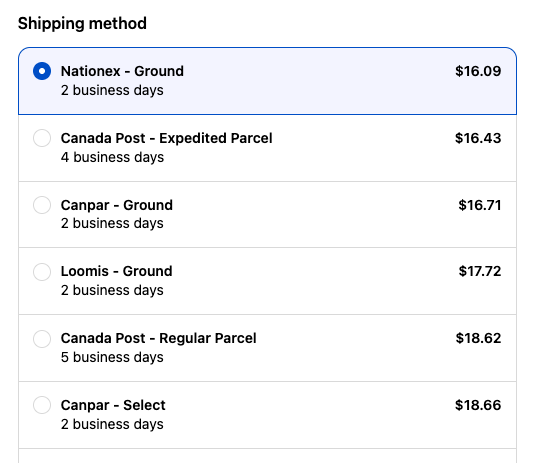
ShipTime shipping rates should then appear during checkout in your connected Shopify, WooCommerce, or Ecwid store.
Need help?
If you have trouble enabling real-time rates or configuring your eCommerce integration, contact our Technical Support team at techsupport@shiptime.com.
Not using ShipTime yet? Create your free ShipTime account to access discounted rates from leading couriers, all in one platform.