
Products from your connected eCommerce store are synced automatically when the integration is first set up.
ShipTime also syncs product information when you log in and open the Orders page. If you need to refresh your product list manually, you can start another sync from the same page.
Manually sync your products
- Log in to your ShipTime account.
- From the left-hand menu, select Orders.
A sync should begin automatically when the Orders page opens.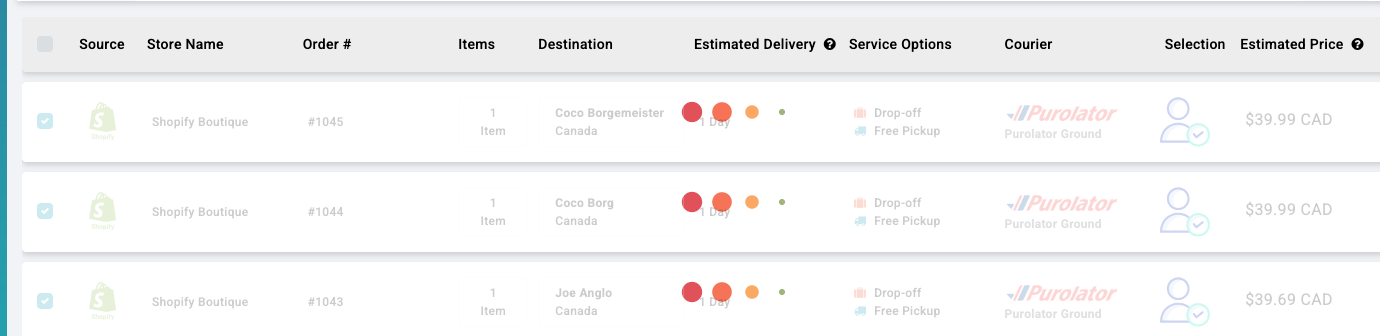
- If the sync has already finished and you want to run it again, select Sync on the right-hand side of the page.
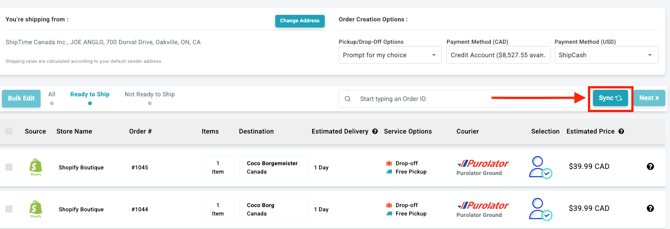
Sync cooldown
If you select Sync shortly after another sync has started, ShipTime may display a cooldown timer before another sync can be run.
Wait until the timer finishes, then select Sync again if needed.
View your synced products
After the sync is complete, go to Settings > Products.
Your updated product lists will appear there for connected stores and Custom Invoice Products.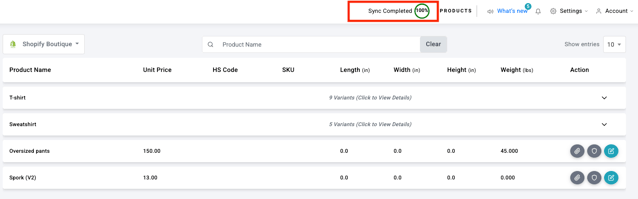
Need help?
If your products are not syncing or you are having trouble with your eCommerce integration, contact our Technical Support team at techsupport@shiptime.com.
Not using ShipTime yet? Create your free ShipTime account to access discounted rates from leading couriers, all in one platform.