
ShipTime’s automated HS Code lookup helps simplify international shipping by generating a suggested Harmonized System (HS) Code based on your product description and shipment details.
This can reduce manual entry and make it easier to complete the customs information required for international shipments.
What is an HS Code?
An HS (Harmonized System) Code is a standardized numerical code used by customs authorities to classify products moving internationally.
HS Codes help customs authorities determine:
- how a product should be classified
- applicable duties and taxes
- import or export requirements
- other customs regulations that may apply
For a more detailed explanation, see What Is an HS Code?
How do I automatically generate an HS Code?
When creating an international shipment in ShipTime:
- Proceed to the International Details step in Quote & Ship.
- Enter a clear and specific description in the Product Description field.
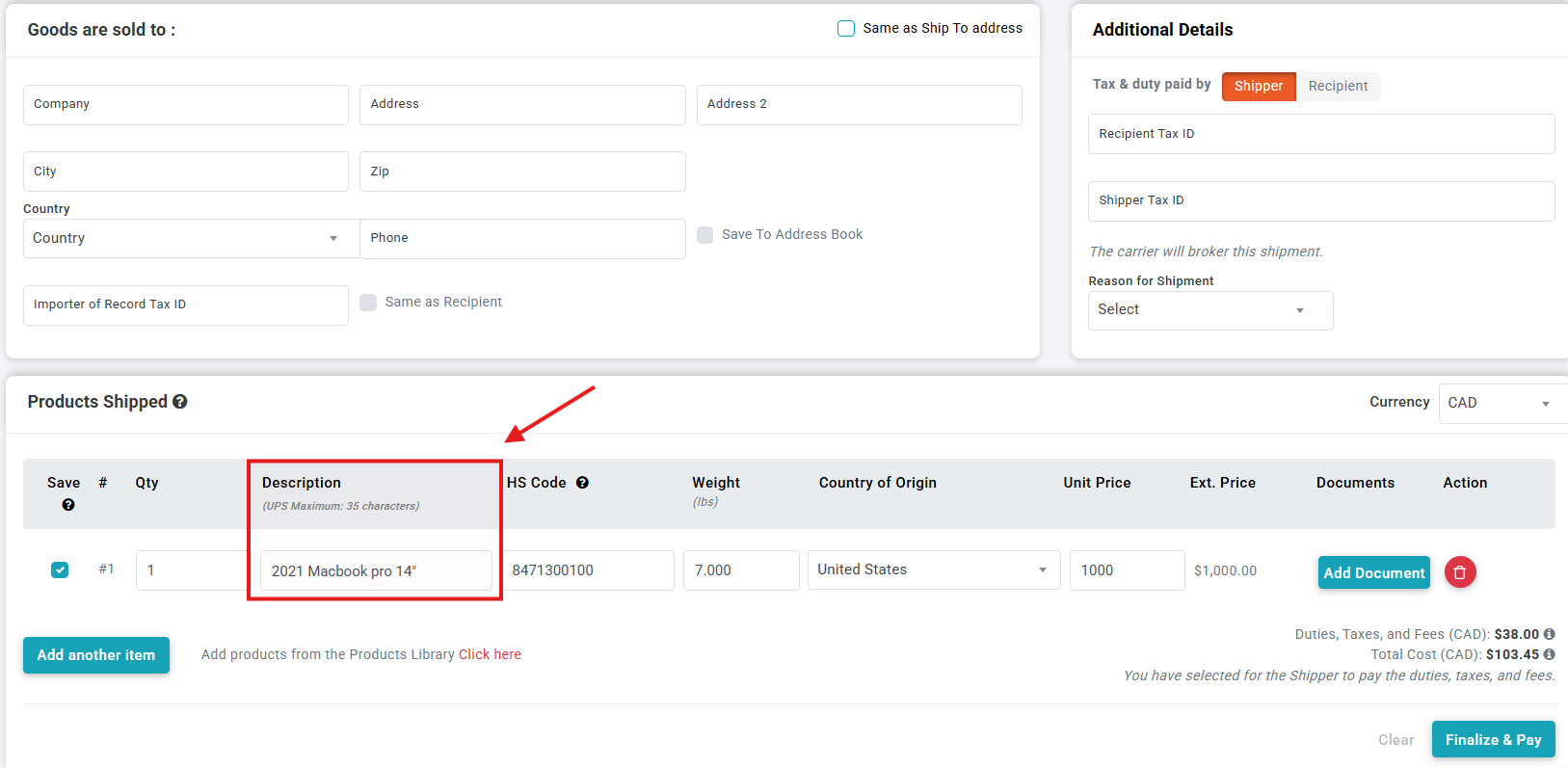
4. Confirm the product details and repeat the process for each item included in the shipment.
5. Complete the remaining international shipment information.
6. Select Finalize & Pay when you are ready to complete the shipment.
What information is used to generate the HS Code?
The suggested HS Code may be based on information including:
- the product description
- origin country
- destination country
- country of origin of the product
Providing a detailed and accurate product description helps ShipTime generate the most appropriate classification.
Can I enter my own HS Code?
Yes. If you already know the appropriate HS Code for your product, you can enter it directly into the HS Code field when that field is editable.
You should review the code carefully before completing the shipment to make sure it accurately reflects the goods being shipped.
What happens for Return & Repair shipments?
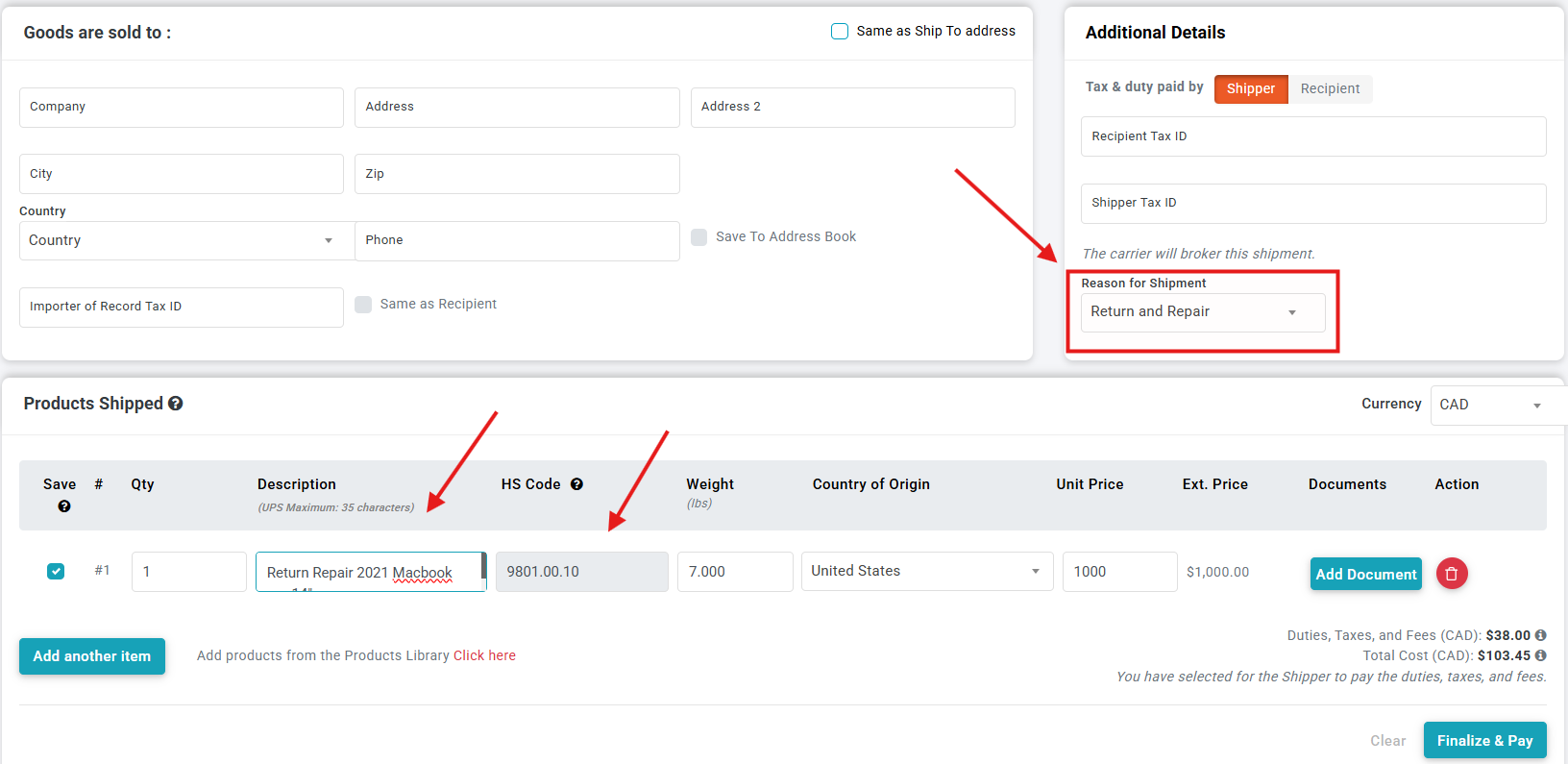
If Return & Repair is selected as the reason for shipment, ShipTime may automatically add Return & Repair for – to the product description.
Enter the specific product description after this text.
ShipTime will then automatically determine the HS Code using the applicable shipment information, including the origin, destination, and product country of origin.
For these shipments, the automatically generated HS Code field may be locked from editing to help ensure the appropriate customs classification is used.
Why is an accurate product description important?
Customs authorities rely on the product description and HS Code to understand what is being imported or exported.
Avoid descriptions that are too general, such as:
- parts
- samples
- merchandise
- accessories
- goods
Instead, describe the item as specifically as possible, including what the product actually is.
What if I’m unsure which HS Code to use?
ShipTime’s automated lookup can help suggest an HS Code, but the shipper is responsible for ensuring the information provided for an international shipment is accurate.
If you are unsure about the correct customs classification for your goods, you may need to confirm the classification with the appropriate customs authority or a customs professional.
If you need help using the HS Code feature in ShipTime or completing your international shipment details, contact our Heroic Support™ team.
Not using ShipTime yet? Create your free ShipTime account to access discounted rates from leading couriers, all in one platform.