
ShipTime allows customers to connect an existing Canada Post account or create a new Canada Post account through the platform using Bring Your Own Rates (BYOR).
Once connected, you can use your Canada Post account and negotiated rates while continuing to manage shipments through ShipTime.
What is different about Canada Post BYOR?
Canada Post is integrated directly with ShipTime, which makes setup more streamlined than many traditional BYOR connections.
With Canada Post BYOR, you can:
- connect an existing Canada Post account without entering API credentials
- create a new Canada Post account through the connection flow
- use your own Canada Post rates in ShipTime
- manage eligible eCommerce shipments through the same platform
- continue using ShipTime features such as tracking and eligible ShipTime Insurance
How do I connect a new Canada Post account?
- Go to Carriers in your ShipTime account.
- Select Canada Post.
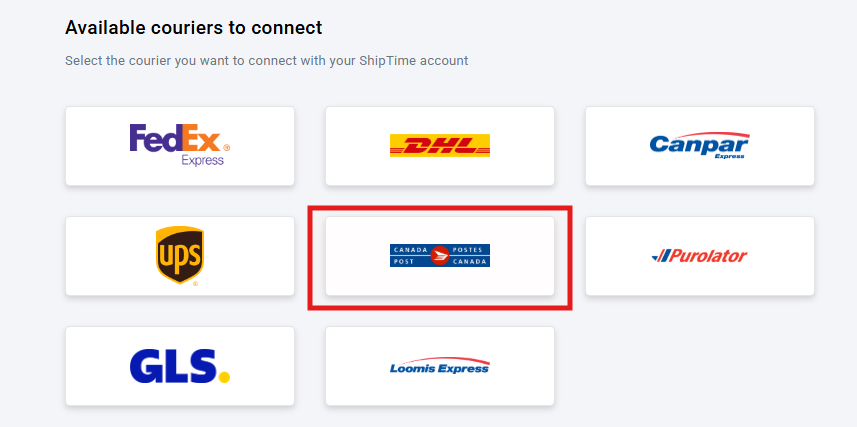
- Click Connect.
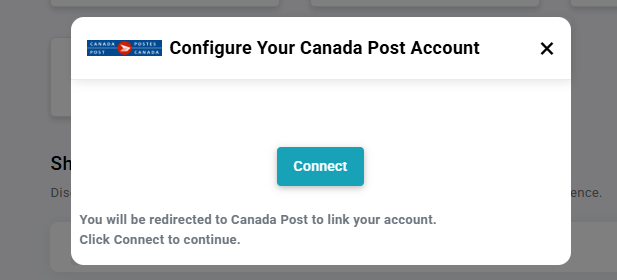
- You will be redirected to Canada Post.
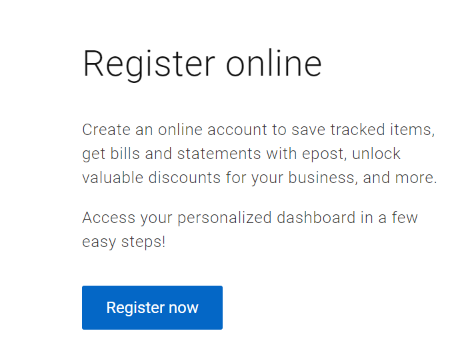
- Select Register Now and complete the Canada Post account-creation process.
- Once completed, you will be redirected back to ShipTime and Canada Post will appear as connected.
How do I connect an existing Canada Post account?
- Go to Carriers in ShipTime.
- Select Canada Post.
- Click Connect.
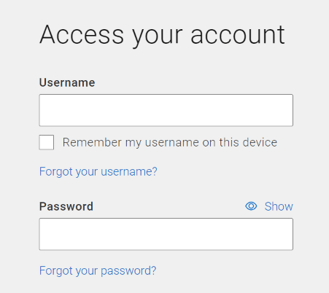
- Sign in using your existing Canada Post username and password.
- Select the applicable payment method for your Canada Post account.
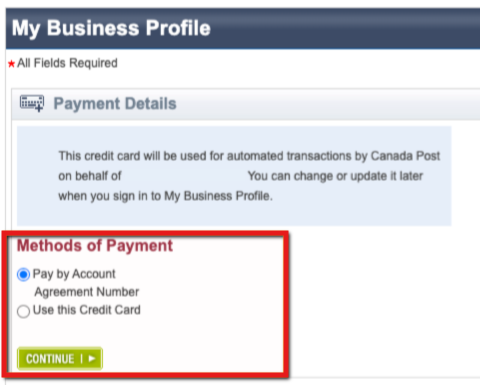
- Review and accept the Canada Post authorization terms.
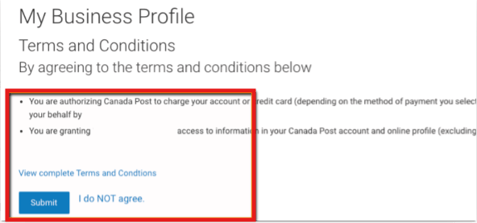
- Once completed, you will be redirected back to ShipTime and the account will be connected.
How do my Canada Post rates appear in ShipTime?
When comparing rates, your connected Canada Post account rates are identified separately from ShipTime rates.

This allows you to compare the available options and choose the service that works best for your shipment.
How does billing work?
Because the Canada Post account belongs directly to you:
- Shipment charges are billed directly by Canada Post.
- Carrier adjustments are handled by Canada Post.
- Adjustment disputes are handled directly with Canada Post.
If you add eligible ShipTime Insurance to a BYOR shipment, ShipTime bills the insurance charge separately. Claims for eligible ShipTime-insured shipments are managed through ShipTime.
Who provides support for Canada Post BYOR shipments?
For issues related to the actual Canada Post shipment, support is generally handled directly by Canada Post.
This can include:
- missed pickups
- address corrections
- delivery issues
- service-guarantee inquiries
- carrier billing or adjustments
ShipTime remains available to help with:
- connecting the Canada Post account
- using the ShipTime platform
- technical issues while creating or managing shipments
If you need help with the ShipTime side of your Canada Post BYOR setup, contact our Heroic Support™ team.
Not using ShipTime yet? Create your free ShipTime account to access discounted rates from leading couriers, all in one platform.