
How to Find Your Invoices in ShipTime
You can view your ShipTime invoices directly from your account at any time.
How do I find my invoices?
- Sign in to your ShipTime account.
- From the left-hand menu, select Manage.
- Select Invoices.
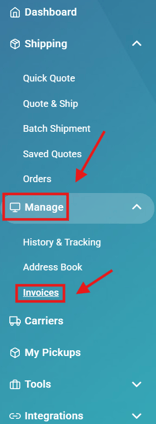
Your invoices will appear on the screen for review.
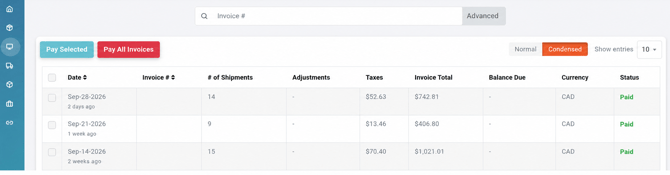
What can I review in the Invoices section?
Your invoice history allows you to review billing activity associated with your ShipTime account.
Depending on the invoice, available information may include:
- invoice details
- shipment-related charges
- transaction amounts
- payment information or status
This can be helpful when reviewing a charge or matching a transaction to a shipment.
How do I view a receipt for a specific shipment?
If you need the receipt for an individual shipment rather than an account invoice:
- Go to Manage > History & Tracking.
- Locate and select the applicable ShipID.
- Select Print Receipt.
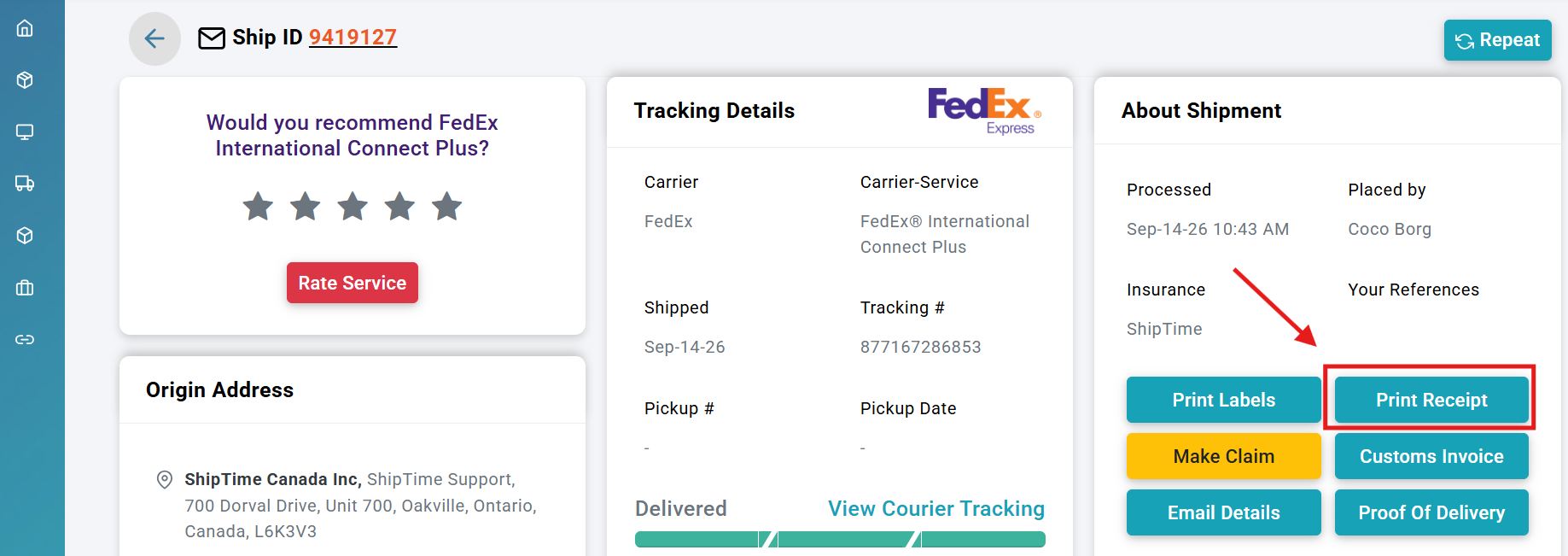
A shipment receipt provides information about that individual shipment, while the Invoices section contains your broader account billing history.
What if I cannot find a charge or invoice?
If you cannot locate the invoice or charge you are looking for, review the available invoice history and confirm that you are signed in to the correct ShipTime account.
You can also check the shipment directly under Manage > History & Tracking and review its receipt if you are trying to identify a shipment-specific charge.
If you still need assistance, contact our Heroic Support™ team and we can help review the billing activity on your account.