
Here’s the revised article with the first-time 2FA requirement and the Finalize & Pay option worked into the existing flow.
English
How to Manage Payment Methods in ShipTime
You can add or update the credit or debit card used to pay for shipments directly from your ShipTime account.
How do I add a payment card?
You can add a payment card from the Payments section of your account:
- Sign in to your ShipTime account.
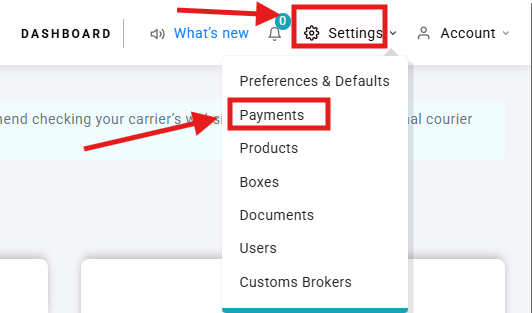
- Select Settings in the top-right corner.
- Select Payments.
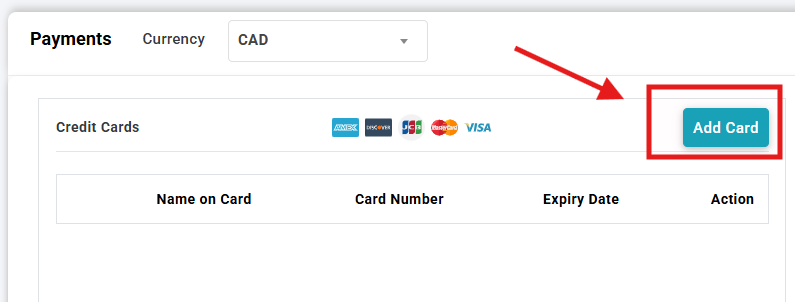
- Select Add Card.
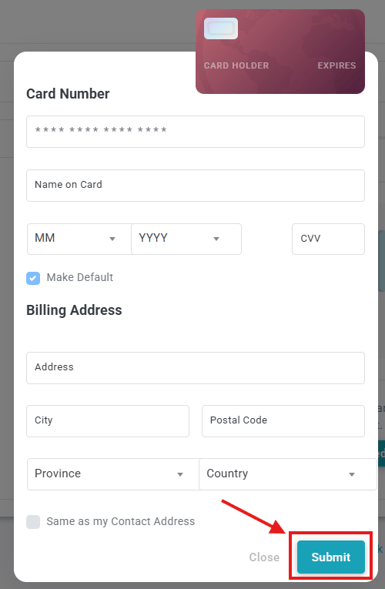
- Enter the required card information, including:
- Cardholder Name
- Card Number
- Expiry Date
- CVV
- Select Submit to save the card.
Can I add a card while creating a shipment?
Yes. You can also add a payment card while creating a shipment.
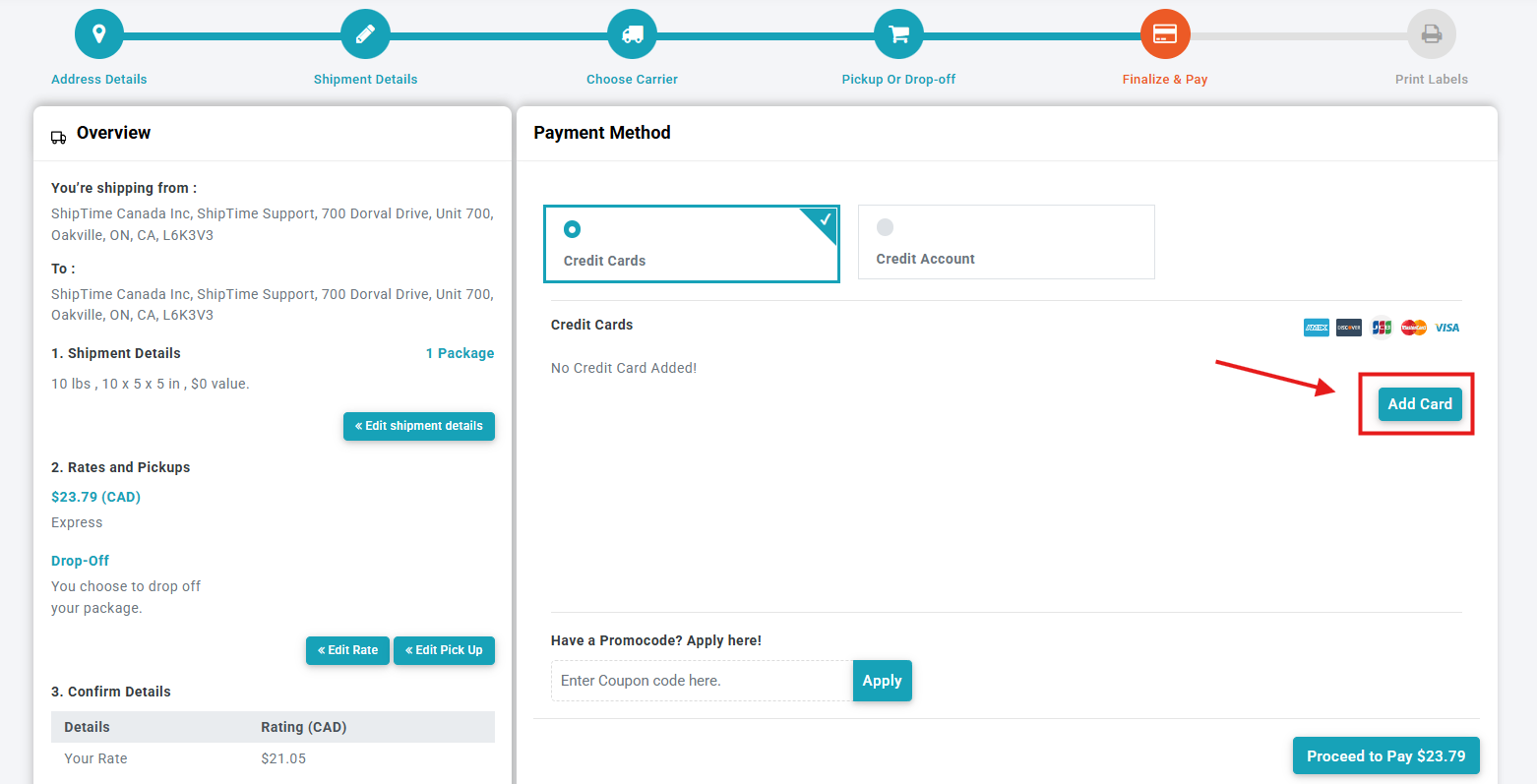
- Continue through shipment creation to Finalize & Pay.
- In the credit card section, select Add Card.
- Enter the required card information.
- Complete any required verification and continue with payment.
What happens when I add a card for the first time?
When adding a credit card to ShipTime for the first time, you will need to complete two-factor authentication (2FA) to verify the account.
- Enter a valid mobile phone number when prompted.
- ShipTime will send an authentication code by SMS.
- Enter the code to complete the verification.
- Once authenticated, you can use the card for eligible ShipTime payments.
The mobile number used for authentication does not need to already be associated with your ShipTime account, but it must be a valid mobile number capable of receiving SMS messages.
Can I update my payment information?
Yes. From the Payments section of your account, you can manage the payment methods available for your ShipTime shipments.
If a saved card is expired or its billing information has changed, update or replace the payment method before creating your next shipment.
Why does my billing address need to match my card?
ShipTime uses Address Verification System (AVS) when adding or using a credit card.
The billing address and postal code or ZIP code entered in ShipTime should match the information associated with the card.
For more information, see What Is AVS (Address Verification System)?
How is my card information displayed?
For security, only limited card information is displayed in your ShipTime account, such as the cardholder name, last four digits, and expiry date.
What if my card is not accepted?
If your card cannot be added or used:
- confirm that the card information was entered correctly
- verify the billing address and postal code or ZIP code
- confirm the information directly with your card issuer if necessary
- make sure any required SMS verification was completed
- try updating the payment method again
If the issue continues, contact our Heroic Support™ team and we can help review what is happening in ShipTime.