
The Product page lets you search, add, update, and manage products saved to your ShipTime account for use with international shipments and customs documentation.
Use the numbered sections in the screenshots below to learn what each option does.
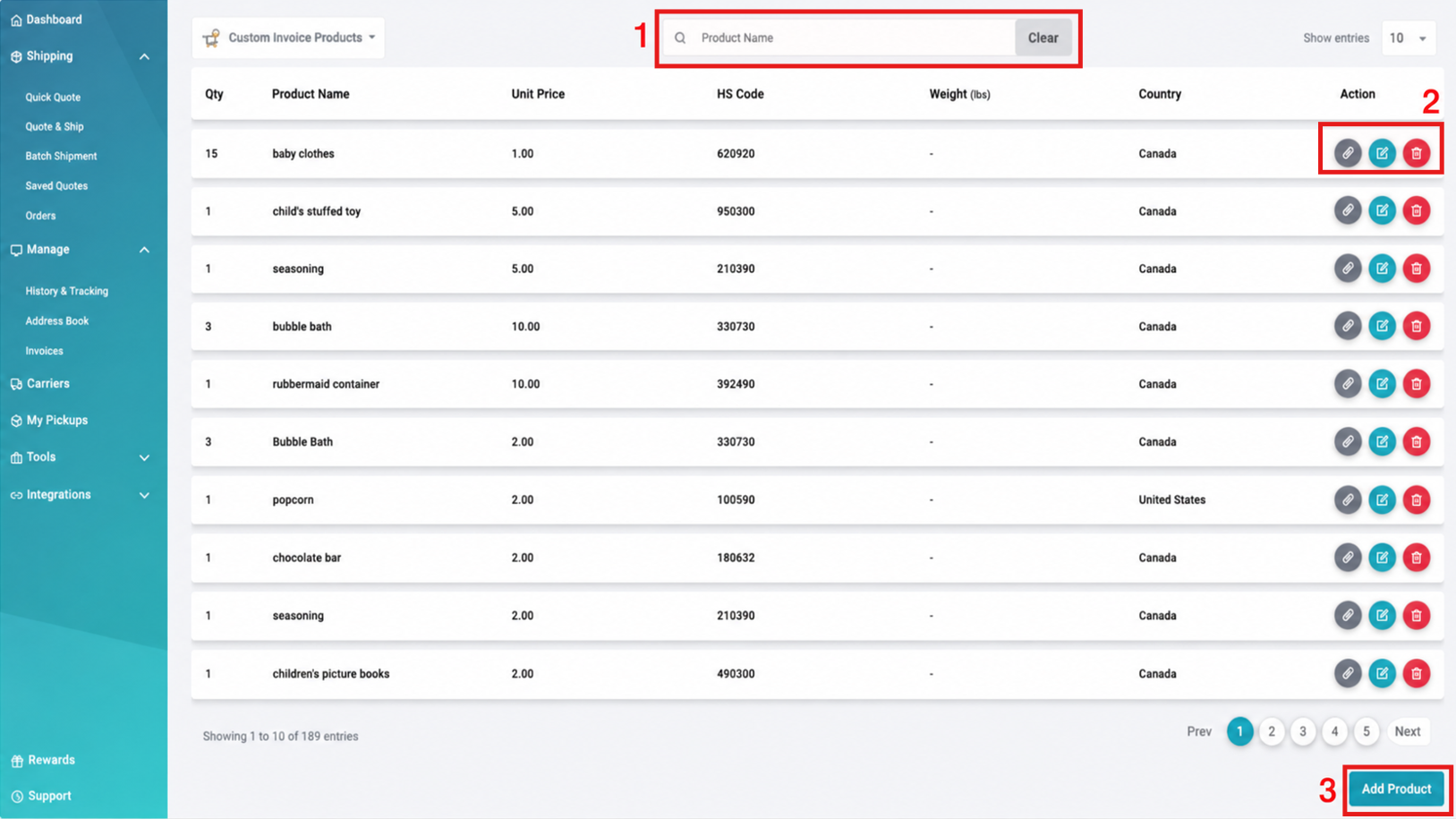
- Search Products
Search for a saved product using its full or partial product name. - Add Products
Select Add Product to create a new product in your library.
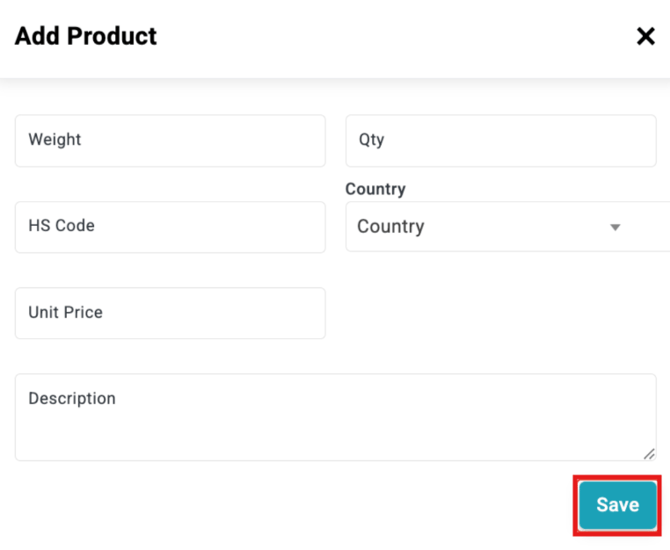
Complete all required fields:
- Weight: Enter the product weight using imperial units.
- Qty: Defaults to 1. Update this if the product is typically sold in larger quantities.
- HS Code: Enter the applicable 10-digit HS Code.
- Country: Select the product’s Country of Origin.
- Unit Price: Enter the price of one item in the applicable local currency.
- Description: Enter a brief, clear description of the product for customs documentation.
Accurate product information helps support smoother customs processing when the product is used in an international shipment.
- Actions
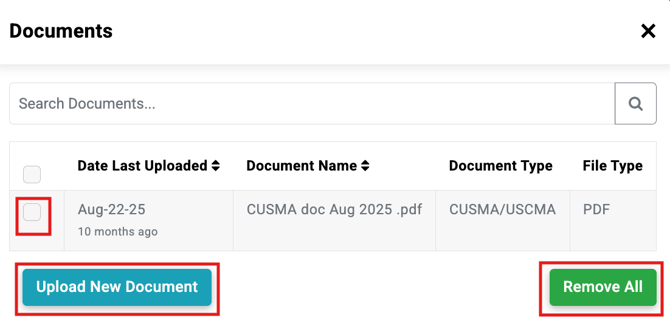
Use the available actions to manage an existing product:- Documents: Add or edit documents associated with the product for customs or duties purposes.
- Edit: Update the saved product information.
- Delete: Remove the product from your product library.
Have a Large Product Inventory?
If you have a large number of products to add, you can complete our product upload template and send it to techsupport@shiptime.com.
Once the required product information has been completed, the ShipTime Technical Support team can assist with uploading the products to your account.
Download: [Product Upload Template]
Need Help?
If you have questions about adding products, HS Codes, product documents, or uploading a larger product library, contact our Heroic Support™ team or email techsupport@shiptime.com for technical assistance.