
The Users page lets you add and manage users associated with your ShipTime account, including updating user information, deactivating access, and changing passwords.
Use the numbered sections in the screenshot below to learn what each option does.
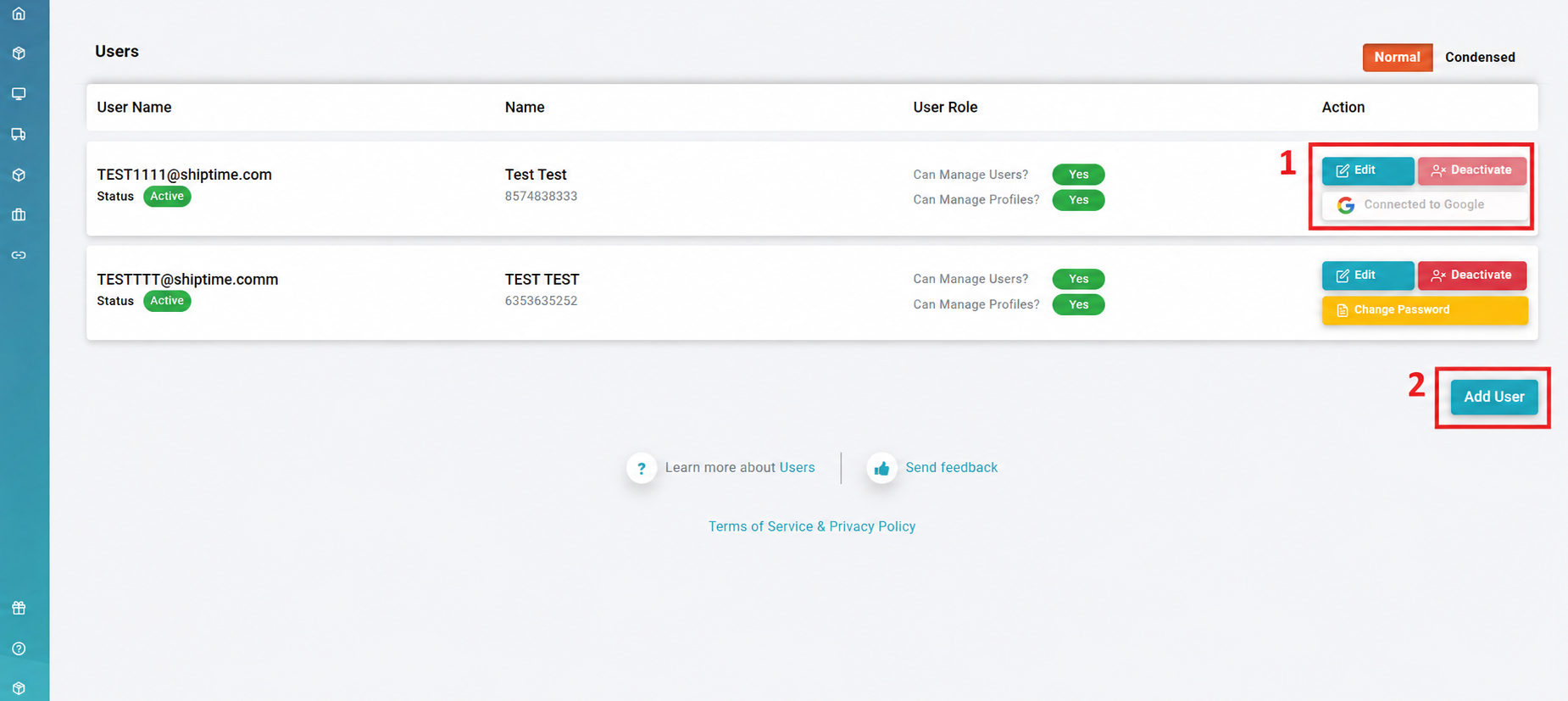
- User Management Buttons
Use the available actions to manage an individual user:- Edit: Update the user’s account information and settings.
- Deactivate: Deactivate the user and prevent them from signing in to ShipTime.
- Change Password: Manually update the password for the selected user.
- Add User
Select Add User to create a new user and provide them with access to your ShipTime account.When adding a user, complete the required account information and assign the appropriate user permissions.
Need Help?
If you have questions about adding users, managing permissions, or account access in ShipTime, contact our Heroic Support™ team.